Changing the download location in IDM (Internet Download Manager) is crucial for RDP users to manage disk space and organize files efficiently. Follow these simple steps to configure your IDM download settings.
Step-by-Step Guide:
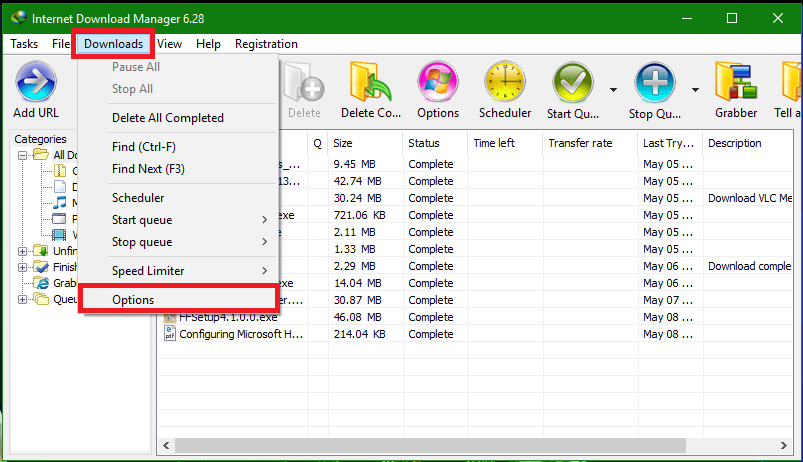
- Open IDM
- Go to Downloads >> Options
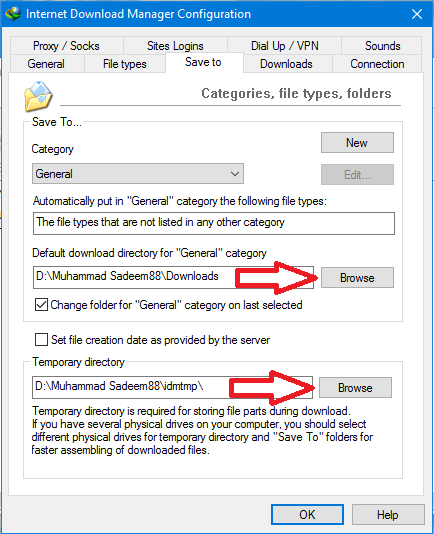
- Then go to the "Save To" tab and change the download location for all categories
- Now change the temp download location
- Done!
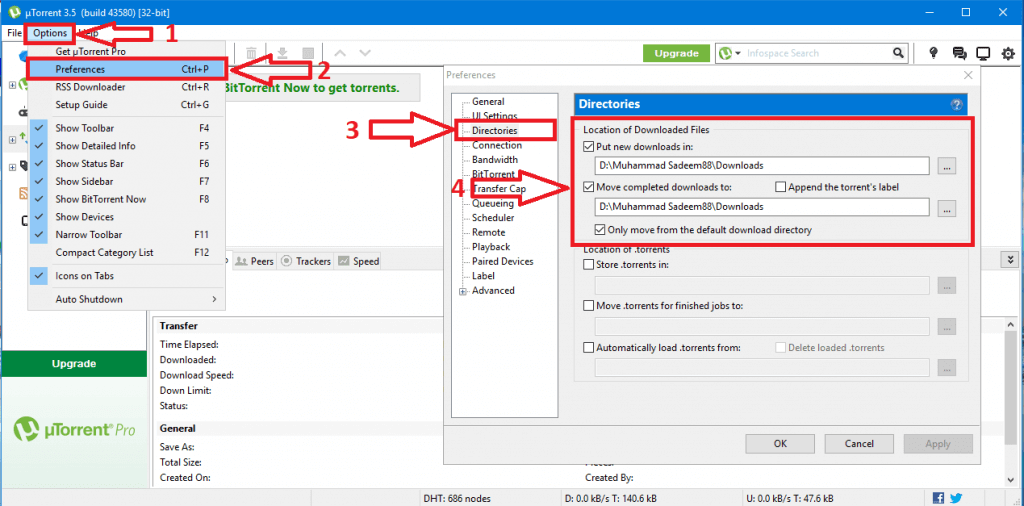
For uTorrent/BitTorrent/qBitTorrent Etc:
If you're using uTorrent, BitTorrent, qBitTorrent, or similar torrent clients, you can also change their download locations. See the image below for reference:
Pro Tip: Always set your download location to a drive with sufficient space. This helps prevent disk space issues and keeps your RDP running smoothly. If you need help configuring these settings, feel free to contact our support team.